Building a Vue 3 Progressive Koffee Lovers App Part One

By Vantol Bennett
Author
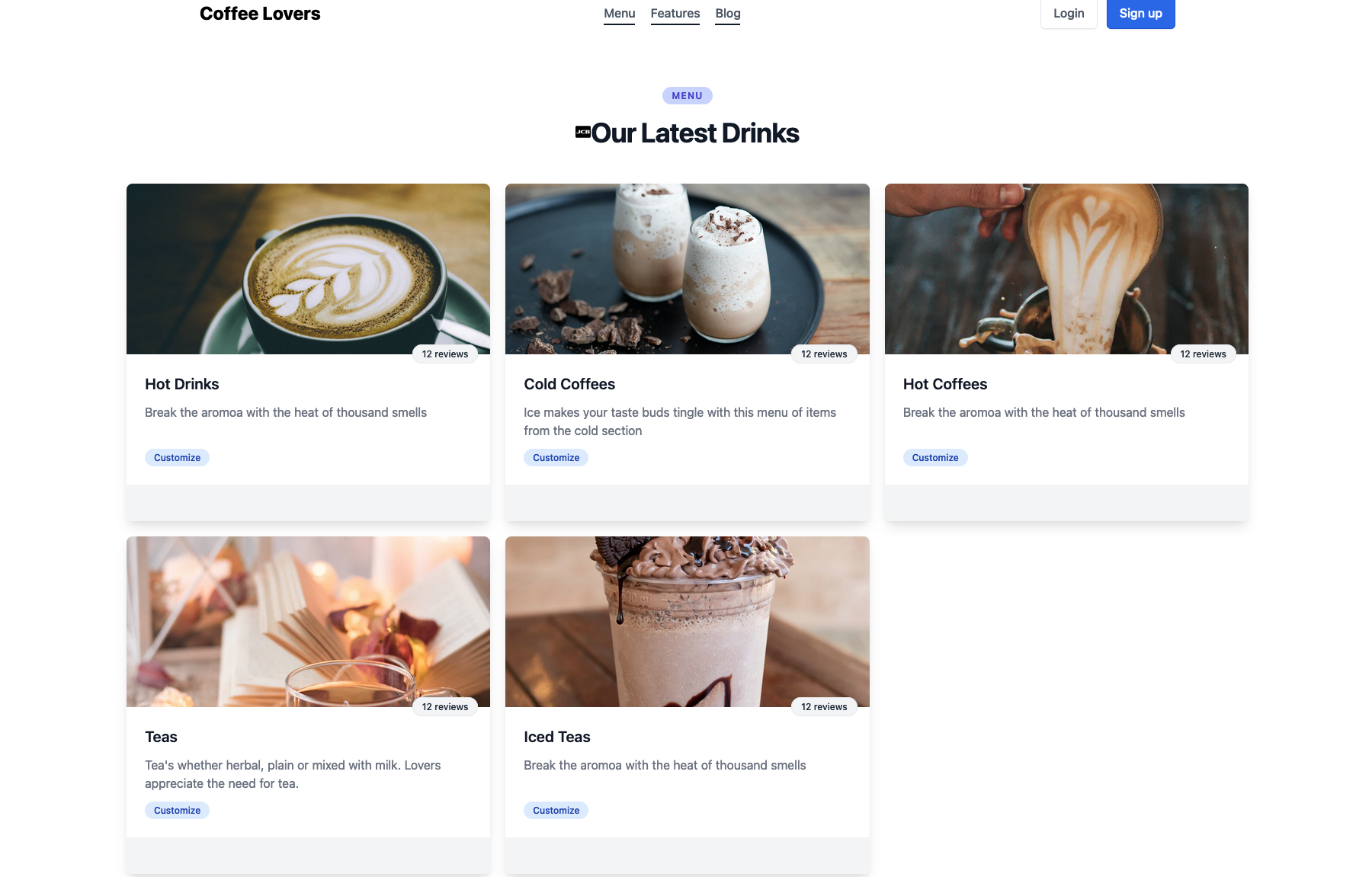
What are We Making?
Koffee Lovers Vue3 PWA#
In this post, we will look at building a coffee web application with progressive web app (PWA).
Examining the workings of Vue3, creating components, using directives and use props to pass data to components. We can also try and utilize mixins to reduce reptition of code by abstracting out similar features in these components.
Teacher Mode: What is a PWA?#
🎓 Teacher Mode
“PWAs are special web apps that can be installed on the user's computer, and the browser manages these installed apps. They differ from regular web apps as they let us access some computer hardware natively. When we visit a PWA in our browsers, we can choose to install the PWA”
This is basically what a PWA is - an app that can work offline once install on the users device.
Always test your PWA in an Incognito window or after clearing site data to ensure the service worker is fetching fresh assets correctly during development.
Lets Code!#
We will be using Vite for quick prototyping our app.
npm init vite@latest
Follow the prompt name your app whatever you like but we will call this vue3-koffee-lovers
npm run dev
Your development server should be running on http://localhost:3000
Layout#
Generally its important to get the layout of your web application up and running by creating all the folders necessary for you web application to work smoothly. One such folder is your Components Folder. Vue.js is a progressive framework for building user interfaces, through the use of components.
Setting up PWA#
npm install vite-plugin-pwa workbox-precaching -D
Config#
Configuration can be done in vite.config.js file. Installation of the plugin would look something this:
import { defineConfig } from "vite"
import vue from "@vitejs/plugin-vue"
import { VitePWA } from "vite-plugin-pwa"

export default defineConfig({
     plugins: [ vue(), VitePWA()],
})
This basically enables the plugin however there are additional setup required in order to get PWA to work correctly on devices. Look at the following code:
export default defineConfig({
  plugins: [
    vue(),
    VitePWA({
      mode: "development",
      base: "/",
      srcDir: "src",
      filename: "sw.ts",
      includeAssets: ["/favicon.png"],
      strategies: "injectManifest",
      manifest: {
        name: "Test Project",
        short_name: "Test",
        theme_color: "#ffffff",
        start_url: "/",
        display: "standalone",
        background_color: "#ffffff",
        icons: [
          {
            src: "icon-192.png",
            sizes: "192x192",
            type: "image/png",
          },
          {
            src: "/icon-512.png",
            sizes: "512x512",
            type: "image/png",
          },
          {
            src: "icon-512.png",
            sizes: "512x512",
            type: "image/png",
            purpose: "any maskable",
          },
        ],
      },
    }),
  ],
})
Every PWA must have a manifest. A Manifest is a file that defines (in JSON format) the name of the application, the background color that it will have on the device once installed, the location, formats of the icons used and the root url for PWA (web application can have different url for web and PWA). That is, the minimum requirements necessary for PWA.
Next is to config the Service Worker (this allows code to run in the background and secondary actions being able to work). Service Worker is located in src/swt.(js or ts)
import { precacheAndRoute } from 'workbox-precaching'
declare let self: ServiceWorkerGlobalScope
self.addEventListener('message', (event) => {
  if (event.data && event.data.type === 'SKIP_WAITING') self.skipWaiting()
})
// self.__WB_MANIFEST is default injection point
precacheAndRoute(self.__WB_MANIFEST)
Finally! its just to register the PWA using a component.
<script lang="ts">
import { defineComponent } from "vue";
import { useRegisterSW } from "virtual:pwa-register/vue";
const { updateServiceWorker } = useRegisterSW();
export default defineComponent({
  name: "ReloadPWA",
  setup() {
    const { offlineReady, needRefresh, updateServiceWorker } = useRegisterSW();
    const close = async () => {
      offlineReady.value = false;
      needRefresh.value = false;
    };
    return { offlineReady, needRefresh, updateServiceWorker, close };
  },
  methods: {
    async close() {
      this.offlineReady.value = false;
      this.needRefresh.value = false;
    },
    async updateServiceWorker() {
      await updateServiceWorker();
    },
  },
});
</script>
Once connection is made in this component to App.vue, PWA will be fully setup
Share this post
Stay Updated
Get the latest posts delivered straight to your inbox.