How to Use Nitro: Build and Deploy Modern Servers Anywhere

By Vantol Bennett
Author

Introduction
Modern web applications increasingly require flexible, performant backends that can run anywhere from edge servers to traditional Node hosts. That’s where Nitro comes in — a lightweight, runtime-agnostic server toolkit that lets you build APIs, server logic, and backend functionality with minimal configuration and deploy it across platforms seamlessly. Nitro works standalone or as the server engine under frameworks like Nuxt and Vite-based apps. oaicite:0
In this post, we’ll explore how to use Nitro, walk through practical examples, and show you how to build and deploy real server-side logic using this powerful tool.
Main Content
What Is Nitro and Why Use It?#
At its core, Nitro is a server engine and framework designed to make backend development simple, portable, and efficient. It gives you:
- Out-of-the-box server routing with filesystem-based handlers
- Multi-runtime support — Node, Bun, Deno, and more
- Zero-config deployment for many platforms
- Hot reloading and developer experience conveniences
- Minimal overhead — compiled output is very small oaicite:1
Instead of wrestling with server setups or environment differences, Nitro lets you focus on your handlers and business logic while it handles the rest.
Nitro works both as a standalone server toolkit and as the server engine powering full-stack frameworks like Nuxt — giving you flexibility to choose how you build your backend. oaicite:2
Getting Started with Nitro#
Step 1: Create a New Nitro Project#
Nitro provides a starter template to help you bootstrap quickly (and you can even try it in your browser with an online playground). oaicite:3
npx create-nitro-app nitro-app
cd nitro-app
npm install
Once installed, you’ll have a Nitro project with a directory structure like:
server/routes/
server/api/
server/utils/
server/plugins/
nitro.config.ts
These folders are where you’ll place your routes, logic, utilities, and plugins. (Nitro)
Step 2: Run the Development Server#
Nitro comes with a built-in development server that supports hot reload:
npm run dev
By default, Nitro starts on http://localhost:3000/. You’ll see your handlers and static files served automatically. (Nitro)
Filesystem Routing: API Routes & Handlers#
Just like many modern server frameworks, Nitro uses filesystem routing: files you create under server/routes/ automatically become endpoints.
Example: Create a Simple API Route#
Create a file named server/api/hello.ts:
export default defineEventHandler(() => {
  return { message: "Hello from Nitro!" }
})
Visit http://localhost:3000/api/hello in the browser to see the JSON response. Nitro does the routing for you based on file paths. (Nitro)
Nitro routes can be nested — create folders within server/routes/ to structure your API and handlers naturally. (Nitro)
::
Using Utility Functions#
Nitro auto-imports useful utilities that help you build more expressive handlers without boilerplate. For example, parsing query parameters, reading cookies, or handling headers can be done with helpers from h3 (Nitro’s HTTP utility library under the hood). (Nuxt)
Example: Reading Query Parameters#
export default defineEventHandler((event) => {
  const { name } = getQuery(event)
  return { greeting: `Hello ${name ?? "World"}` }
})
Visit /api/hello?name=Vantol and Nitro will handle parsing automatically.
Configuration with nitro.config.ts#
Nitro can be customized via a configuration file. You might want to set runtime config values or adjust build behavior. (Nitro)
Example: Runtime Config#
import { defineNitroConfig } from "nitro/config";

export default defineNitroConfig({
  runtimeConfig: {
    apiToken: "dev_token"
  }
});
Then, within handlers you can access this config:
export default defineEventHandler((event) => {
  return useRuntimeConfig().apiToken;
});
You can override these values with environment variables prefixed with NITRO_ for different environments (development, staging, production). (Nitro)
Serving Static Files and Custom Renderers#
Nitro can serve static files like HTML, images, and assets from unconfigured folders. It also supports fallback renderers — for example serving an index.html for all non-API routes in single-page applications. (Nitro)
This makes Nitro useful for hybrid applications that combine server APIs with frontend PWAs or SPAs.
Deploying Your Nitro App#
One of Nitro’s strengths is its ability to deploy to multiple environments with minimal changes. After building your app:
npm run build
Nitro outputs a production-ready server in the .output directory that can run on various targets. (Nitro)
You can deploy to:
- Node.js servers — run
.output/server/index.mjs - Edge platforms — Cloudflare Workers, Deno Deploy with presets
- Serverless providers — AWS Lambda, Vercel, Netlify, etc. (Nitro)
Nitro often autodetects the hosting provider and configures itself accordingly — meaning fewer environment-specific tweaks. (Nitro)
Advanced: Plugins & Middleware#
If you need to extend Nitro’s behavior, you can create your own plugins in server/plugins/. These let you hook into the lifecycle of requests, register middleware, or augment server behavior in powerful ways.
This pattern helps modularize cross-cutting concerns like authentication, logging, or error reporting.
Example: Full API + Frontend Integration#
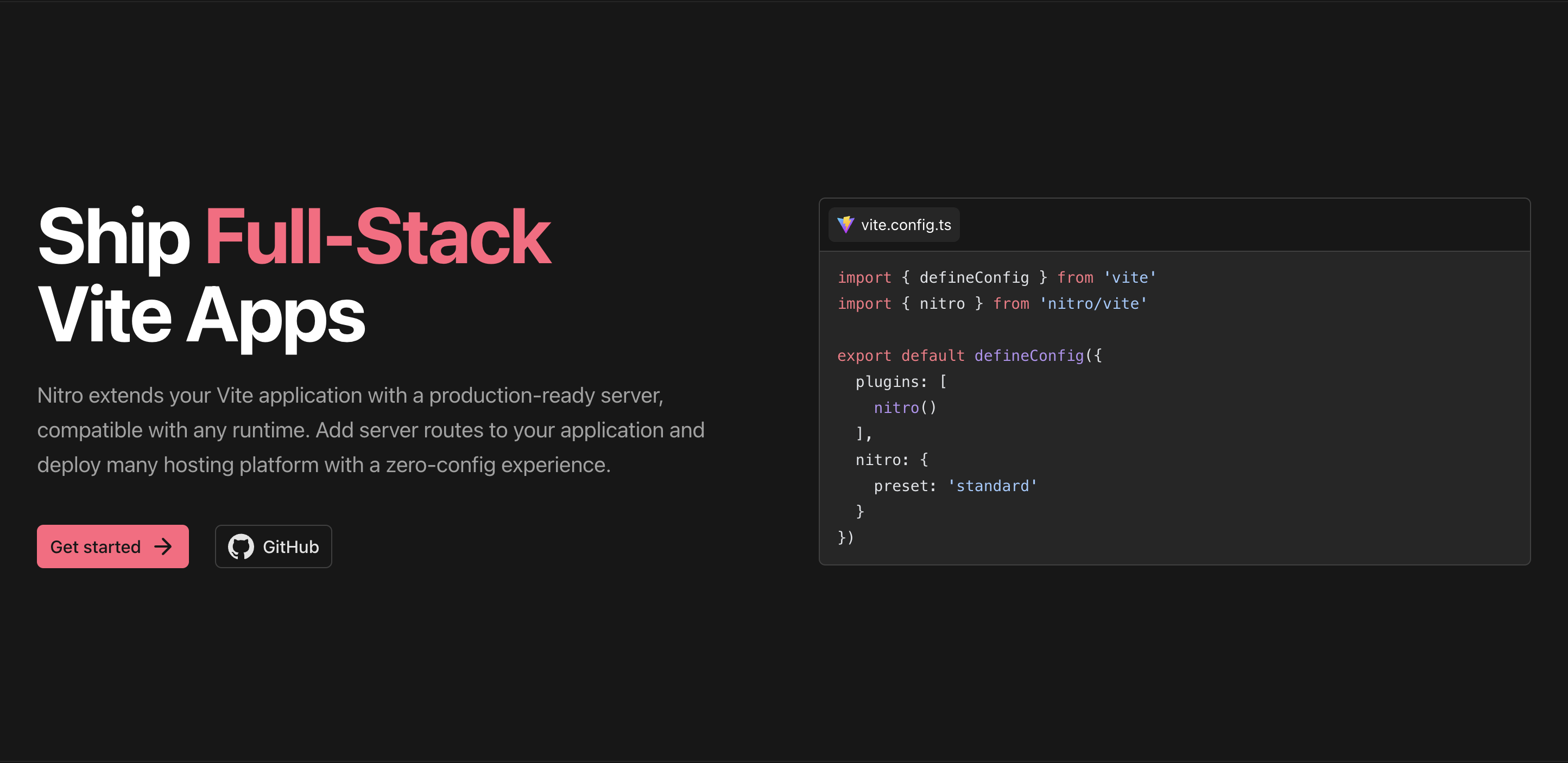
You can integrate Nitro with frontend frameworks like Vite to create full-stack apps where your UI and backend live in one project. Nitro handles server APIs and static assets, while Vite serves HMR and frontend bundling. (Nitro)
This setup enables:
- Server APIs without CORS complexity
- Sharing code between backend and frontend
- Fast development workflows with hot reload
Conclusion
Nitro is an incredibly flexible and powerful tool for modern backend development. Whether you’re building APIs, hybrid apps, or full-stack projects, Nitro offers:
- Filesystem routing and simple handlers
- Configurable runtime environments
- Cross-runtime deployment
- Out-of-the-box utility functions and developer experience
- Easy integration with frontend frameworks (Nitro)
With these capabilities, Nitro enables developers to build fast, scalable, and portable server apps without sacrificing simplicity — making it a strong choice for teams building modern web applications. 🚀
Share this post
Stay Updated
Get the latest posts delivered straight to your inbox.