Building null-agent: A Multi-Provider Coding Assistant with 49 Built-in Tools

By Vantol Bennett
Author

Introduction
Most coding assistants lock you into a single provider, a single interface, and a black-box you can't extend. If you want OpenAI for one project, Anthropic for another, and a local model for sensitive work, you're juggling three different tools with three different CLIs.
null-agent is an open-source TypeScript library that solves this by unifying multi-provider LLM support, a rich tool system, a terminal UI, an HTTP API, and even a developer accountability tracker — all behind one configurable interface.
It ships with 49 built-in tools, 5 LLM providers, 4 interfaces, and a plugin system that lets you extend it without forking the codebase.
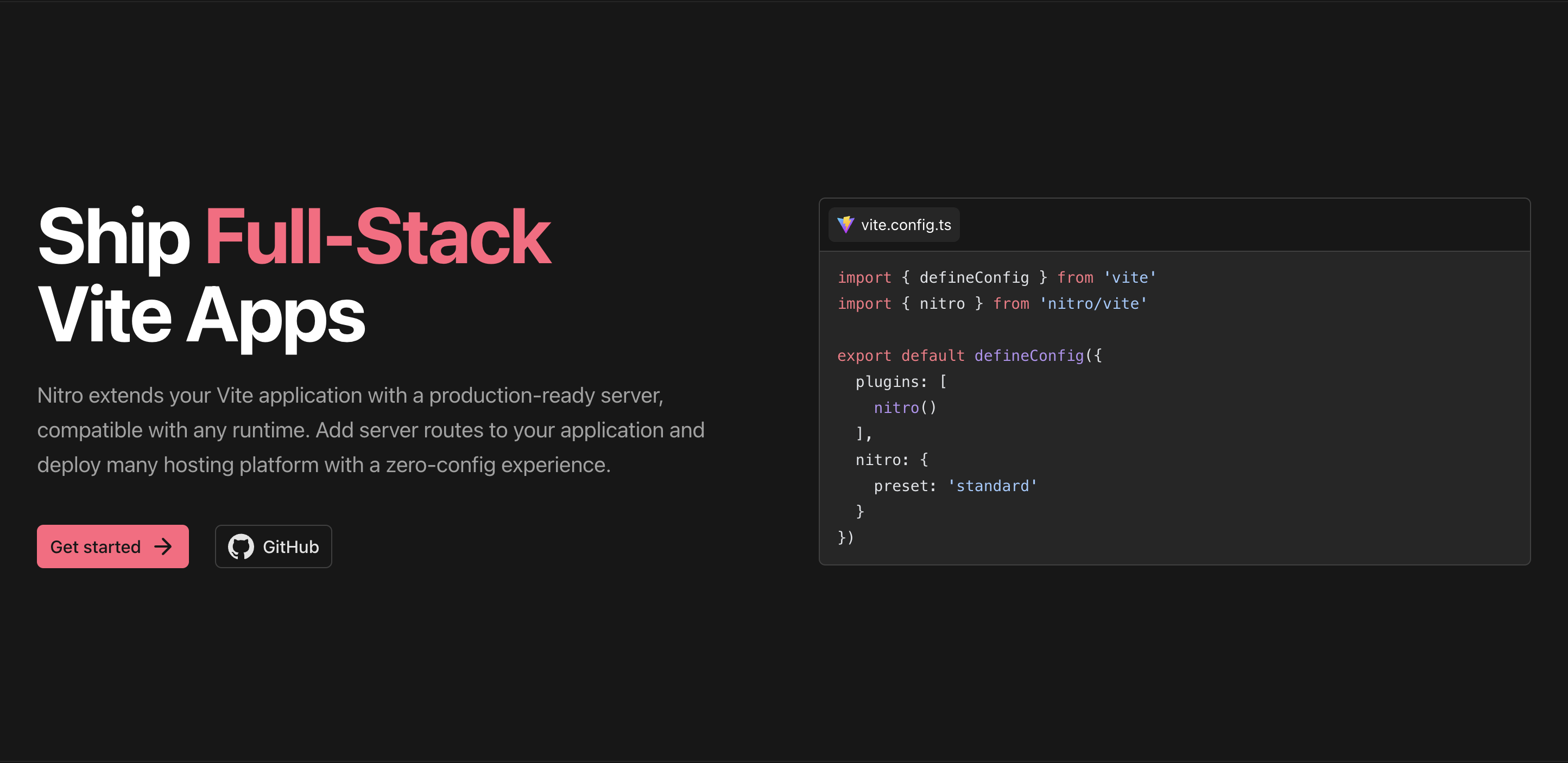
null-agent is built with Vite+ and ships as both a library (npm install null-agent) and a global CLI (npm install -g null-agent).
What Is null-agent?
null-agent is an interactive coding assistant that works as:
- A library — import
Agent,ToolRegistry, and providers into your own tools - A TUI — an Ink-based terminal interface with live activity tracking
- A REPL — a lightweight readline interface with zero extra dependencies
- An HTTP server — REST API with SSE streaming
- A one-shot CLI — send a single message and get a response
It auto-detects which LLM provider you have configured, manages API keys through your OS keychain, and persists conversations to disk so you can resume them later.
🚀 Why Another Agent Library?
Because most agent frameworks are either too opinionated (you can't swap providers) or too minimal (you write your own tool registry). null-agent sits in the middle: batteries included, but everything is overridable.
Architecture at a Glance
The package is organized into focused modules:
src/
  providers/      # LLM abstraction (OpenAI, Anthropic, Gemini, OpenRouter, Tavily)
  tools/          # 49 built-in tools across file, shell, git, workflow, review, testing, web
  agent/          # Core loop, orchestrator, personality, task extraction, suggestions
  tui/            # Ink terminal UI with status bar, chat panel, daily summary
  cli/            # Entry points for REPL, one-shot, and server modes
  server/         # HTTP API with SSE streaming
  memory/         # Conversation persistence and export
  context/        # Project scanning and context window management
  awareness/      # Git monitoring and file watching
  accountability/ # Developer day tracker with goals and reports
  bus/            # Event bus for decoupled communication
  config/         # Unified config system
  permission/     # Mode-based permissions (auto / confirm / plan)
  plugin/         # Plugin architecture
Every module is independently importable. You can use the agent loop without the TUI, the tool registry without the agent, or the accountability tracker as a standalone utility.
Multi-Provider LLM Support
null-agent doesn't pick sides. It supports five providers and auto-detects which one you have configured:
| Provider | Env Variable | Default Model | Free Tier |
|---|---|---|---|
| OpenAI | OPENAI_API_KEY | gpt-5.4 | — |
| Anthropic | ANTHROPIC_API_KEY | claude-sonnet-4-6 | — |
| Google Gemini | GEMINI_API_KEY | gemini-3.1-flash | gemini-3.1-flash |
| OpenRouter | OPENROUTER_API_KEY | anthropic/claude-sonnet-4-6 | google/gemini-3.1-flash, llama-3.1 |
| Tavily | TAVILY_API_KEY | — | 1000 searches/month |
Using Providers as a Library#
import { createProvider, detectProvider, getAvailableProviders } from "null-agent";

// Auto-detect from available keys
const provider = createProvider(detectProvider() ?? "openai");

// Explicit provider with custom model
const claude = createProvider("anthropic", {
  model: "claude-opus-4-20250514",
});

// See what's available
const available = getAvailableProviders(); // ["openai", "gemini"]
Keys are resolved in order of priority:
- Environment variable
- OS keychain (macOS Keychain / Windows Credential Manager via
keytar) ~/.null-agent/credentials.jsonfile fallback
You can configure keys interactively:
null-agent auth              # Pick a provider, enter key interactively
null-agent auth openai       # Configure one provider directly
null-agent auth status       # Show which providers are configured
No API key? Gemini and OpenRouter both offer free tiers. You can start using null-agent without spending a dollar.
The Tool System: 49 Built-in Tools
Tools are the core of what makes null-agent useful. They're organized into three capability areas: Mind (reasoning), Hand (file manipulation), and Feet (task orchestration).
Mind — Core Operations#
The foundational trio every agent needs:
| Tool | Name | Description |
|---|---|---|
fileReadTool | file_read | Read file contents |
fileWriteTool | file_write | Write file contents (creates parent dirs) |
shellTool | shell | Run shell commands (30s timeout, 1MB buffer) |
Hand — File Manipulation#
Advanced file operations with safety features:
| Tool | Name | Description |
|---|---|---|
fileMoveTool | file_move | Move files with undo support |
fileCopyTool | file_copy | Copy files |
fileDeleteTool | file_delete | Delete files (moves to trash, supports restore) |
fileGlobTool | file_glob | Find files matching glob patterns |
fileRestoreTool | file_restore | List/restore files from trash |
fileBulkTool | file_bulk | Execute batch file operations |
Safety features built in:
- Root boundary — all operations validate paths against a configurable root (default: project root) to prevent traversal attacks
- Trash-based delete — deleted files move to
~/.null-agent/trash/instead of permanent deletion - Glob patterns —
file_globsupports**/*.ts,src/**/*.js, etc. with automaticnode_modules//.git/exclusion
Feet — Task Orchestration#
Script execution, process management, and terminal sessions:
| Tool | Name | Description |
|---|---|---|
scriptDetectTool | script_detect | Auto-detect scripts from package.json/Makefile |
scriptRunTool | script_run | Run detected or custom scripts |
processStartTool | process_start | Start background processes |
processStopTool | process_stop | Stop background processes |
processListTool | process_list | List running processes |
sessionCreateTool | session_create | Create persistent terminal sessions |
sessionAttachTool | session_attach | Attach to existing sessions |
taskSprintTool | task_sprint | Run concurrent tasks with progress |
Git, Workflow, Review, Testing, and Web#
The package also includes 15 git tools, 8 dev workflow tools (PRs, issues, changelog, CI status), code review utilities, test generation/runners, and web search/fetch via Tavily.
Using the Tool Registry#
import { createDefaultRegistry, ToolRegistry, fileReadTool, shellTool } from "null-agent";

// All 49 tools
const registry = createDefaultRegistry();

// Or pick specific tools
const minimal = new ToolRegistry();
minimal.register(fileReadTool);
minimal.register(shellTool);
Custom Tools#
Adding your own tool is straightforward:
registry.register({
  name: "deploy",
  description: "Deploy the application",
  parameters: {
    type: "object",
    properties: {
      environment: { type: "string", enum: ["staging", "production"] },
    },
    required: ["environment"],
  },
  execute: async ({ environment }) => {
    return { content: `Deployed to ${environment}` };
  },
});
🔧 TypeBox Schemas
For type-safe parameter validation, null-agent supports TypeBox schemas alongside JSON Schema. Import toolParams, String, and Object from null-agent for fully typed tool definitions.
The Agent Loop
The Agent class is the heart of null-agent. It handles the conversation loop, tool execution, streaming, events, and orchestration.
import { Agent, createProvider, createDefaultRegistry } from "null-agent";

const agent = new Agent({
  provider: createProvider("anthropic"),
  tools: createDefaultRegistry(),
  systemPrompt: "You are a helpful coding assistant.",
});

const result = await agent.chat("Explain this function");
console.log(result.content);
console.log(`Completed in ${result.iterations} iterations`);
Streaming Events#
For building UIs or logging, the agent emits rich events:
const agent = new Agent({
  provider,
  tools,
  eventHandlers: {
    onAgentStart: (data) => console.log("Started:", data.message),
    onToolExecutionStart: (data) => console.log("Running:", data.name),
    onToolExecutionEnd: (data) => console.log("Done:", data.name, data.isError),
    onAgentEnd: (data) => console.log("Complete in", data.iterations, "iterations"),
  },
});
Tool Hooks#
Intercept and control tool execution:
const agent = new Agent({
  provider,
  tools,
  toolHooks: {
    beforeToolCall: async (context) => {
      console.log("About to run:", context.name);
      // Return false to block execution
    },
    afterToolCall: async (context) => {
      console.log("Finished:", context.name, context.result);
    },
  },
});
Steering#
Inject messages or queue follow-up work:
const agent = new Agent({ provider, tools });

// Inject context before next chat
agent.steer({ role: "user", content: "Remember: use TypeScript" });
await agent.chat("Hello");

// Queue work after agent stops
agent.followUp(async () => {
  await agent.chat("Now summarize what we did");
});
Multi-Agent Orchestration#
For complex tasks, the agent can spawn parallel sub-agents:
const agent = new Agent({
  provider: createProvider("anthropic"),
  tools: createDefaultRegistry(),
  enableOrchestrator: true,
});

// The agent can use the "spawn_task" tool to delegate work
const result = await agent.chat("Investigate these 3 files in parallel");
Safety limits are enforced: 5 concurrent sub-agents, 3 spawns per turn, 30s timeout per sub-agent.
Four Interfaces
Terminal UI (Default)#
The Ink-based TUI is the default experience. It features:
- Status bar with live activity tracking and project context
- Chat panel with message bubbles and formatted tool call display
- Animated mascot (
◉) with 11 moods that change based on activity - Slash commands (
/help,/clear,/context,/report,/goals) - Daily summary panel with meetings, goals, and yesterday's breakdown
- Keyboard shortcuts (
Ctrl+Hfor help,Ctrl+Sfor summary, arrow keys for history)
null-agent
Plain REPL#
No extra dependencies. Just readline with colored output:
null-agent --plain
HTTP API Server#
REST API with SSE streaming. Default port 3737:
null-agent --server --port 3737 --host 0.0.0.0
Endpoints include /chat, /chat/stream, /history, /conversations, /tasks, /config, and /health.
One-Shot CLI#
Send a single message and print the response. Perfect for scripting:
null-agent "what does this function do?"
null-agent --provider openai "summarize the changes"
Accountability & Developer Day Tracker
This is the feature that surprised me most while building it. null-agent includes a self-aware developer day companion that tracks what you're working on, keeps you accountable to goals, and generates daily and weekly reports — all without leaving the terminal.
How Tracking Works#
Activity is tracked in two ways:
- Inferred — every tool call is mapped to an activity type automatically. Reading files →
coding. Running tests →testing.git diff→review. Shell commands are classified by regex (jest→testing,inspect→debugging). - Explicit — use
/track <type>to manually declare what you're working on.
Goal Tracking#
/goals               # List today's goals with status icons
/goal add <text>     # Create a new daily goal
/goal done <id>      # Mark a goal complete (triggers celebration)
/goal rm <id>        # Delete a goal
Goal statuses: ○ pending · ⟳ in-progress · ✓ completed · ✗ missed
Reports#
/report              # Generate today's report
/report week         # Generate this week's report
Reports are saved to ~/.null-agent/accountability/reports/ in both Markdown and JSON formats.
Proactive Reminders#
The accountability engine polls every minute and surfaces messages when:
- A goal has been pending all day with no progress
- You've been coding or debugging for 2+ hours (break reminder)
- It's 9–10 AM and you haven't checked in
- It's 5–6 PM and the day is ending
Using Accountability as a Library#
import { ActivityTracker, Reporter, GoalTracker } from "null-agent";

const tracker = new ActivityTracker();
await tracker.init();

// Explicit tracking
const activityId = await tracker.startActivity("coding", "Auth module refactor");
await tracker.endActivity(activityId);

// Inferred tracking — call this in your tool hook
await tracker.recordToolCall("file_write", { path: "src/auth.ts" }, "ok");

// Daily report
const reporter = new Reporter(store, tracker);
const report = await reporter.generateDailyReport();
console.log(reporter.formatDailyReport(report));
Why Accountability in a Coding Assistant?#
Because the terminal is where developers spend most of their time. Putting time tracking, goal management, and daily reports there removes friction — no context switching to another app.
Project Awareness
null-agent doesn't just chat — it understands your project.
Project Scanning#
import { scanProject } from "null-agent";

const knowledge = await scanProject("./my-project");
console.log(knowledge.language);      // "typescript"
console.log(knowledge.framework);     // "react"
console.log(knowledge.packageManager); // "pnpm"
console.log(knowledge.testCommand);   // "vitest"
It detects Next.js, Nuxt, React, Vue, Express, Fastify, Hono, NestJS, and more.
Real-Time Awareness#
Git monitoring and file watching surface events as they happen:
import { AwarenessManager } from "null-agent";

const awareness = new AwarenessManager({ projectDir: "./my-project" });
awareness.start({
  onEvent: (event) => {
    console.log(`${event.type}: ${event.message}`);
  },
});
Events include git:change, git:branch, git:conflict, file:create, file:modify, and file:delete.
Memory & Persistence
Conversations are persisted to disk at ~/.null-agent/memory/:
import { Agent, MemoryStore } from "null-agent";

const memory = new MemoryStore();
const agent = new Agent({ provider, tools, memory });

// Resume a previous conversation
await agent.resumeConversation("conversation-id");

// List saved conversations
const conversations = await memory.listConversations();
Permission System
Control what the agent can do with three modes:
import { PermissionManager } from "null-agent";

const permissions = new PermissionManager({
  mode: "confirm", // "auto" | "confirm" | "plan"
  allowWrite: true,
  allowShell: true,
  allowGit: true,
  denyPatterns: ["rm -rf", "sudo"],
});
- auto — execute everything
- confirm — ask before destructive operations
- plan — read-only mode
Plugin System
Extend null-agent without modifying core code:
import { PluginManager, EventBus } from "null-agent";

const bus = new EventBus();
const manager = new PluginManager(bus, process.cwd());

await manager.register({
  name: "my-plugin",
  version: "1.0.0",
  setup(context) {
    context.registerTool({
      name: "my_tool",
      description: "Does something useful",
      parameters: { type: "object", properties: {} },
      execute: async () => ({ content: "done" }),
    });
    context.bus.on("agent:text", (event) => {
      console.log("Agent said:", event.data);
    });
  },
});
Testing & Code Review
null-agent can generate tests, run them, analyze failures, and perform comprehensive code reviews:
import { reviewCode, formatReviewReport } from "null-agent";

const result = await reviewCode({ diff: true });
console.log(formatReviewReport(result));
Review categories include security (SQL injection, hardcoded secrets), performance (N+1 queries, sync ops), quality (long functions, deep nesting), and testing (missing test files).
Building and Publishing
null-agent is built with Vite+:
vp check        # Format, lint, and type-check
vp test         # Run all 255 tests
vp pack         # Build for npm
The package exports ESM with TypeScript declarations, and the CLI is available as both a library import and a global binary.
📦 Open Source
null-agent is MIT licensed and available on npm. The source lives in the packages/null-agent directory of the monorepo.
Conclusion
null-agent started as a personal tool to avoid switching between different LLM interfaces. It grew into something larger: a unified platform for AI-assisted development that respects your existing workflow rather than replacing it.
Whether you need a library to embed in your own tools, a terminal UI for daily coding, an HTTP API for integrations, or just a reliable REPL that works with any provider — null-agent covers it.
The accountability tracker was an experiment that stuck. Having goals, time breakdowns, and daily reports inside the terminal removes the friction of context switching to yet another productivity app.
If you're building developer tools or just want a coding assistant you can actually customize, give it a try:
npm install -g null-agent
null-agent auth
null-agent
Ship code. Track time. Stay accountable.
Share this post
Stay Updated
Get the latest posts delivered straight to your inbox.